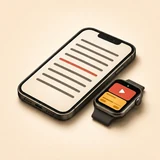
3 Steps from PowerPoint Deck to Hands-Free Stage Delivery
Import your .pptx presentation
Open your PowerPoint (.pptx), Word (.docx), or PDF file in VoxPresenter on iPhone or iPad. Every slide's speaker notes are extracted in seconds with [SLIDE] cues.
Connect Windows PC or Mac
Launch the lightweight, free VoxPresenter Remote utility on your Windows laptop or Mac over local Wi-Fi (or your iPhone's Personal Hotspot).
Speak naturally — script & slides follow
Mount your iPhone at camera/eye level or walk the stage with your Apple Watch. Your notes scroll word by word as you speak, advancing slides by voice or wrist tap.
VoxPresenter vs Built-In PowerPoint Presenter View & Keynote Remote
| Presentation Workflow | VoxPresenter (iOS + Watch + Mac/PC) | PowerPoint Presenter View | Apple Keynote Remote |
|---|---|---|---|
| Automatic Voice-Tracked Notes Scrolling | ✓ Yes — follows your voice word by word offline | ✗ Manual trackpad scrolling required | ✗ Manual thumb swiping required |
| Works on Both Windows PC & Mac | ✓ Native macOS & Windows PC companion | Ties speaker to dual-screen laptop lectern | ✗ Apple Keynote only (no Windows PC) |
| Supported Slide Software | ✓ PowerPoint, Keynote, Google Slides, Canva, PDF | PowerPoint only | Keynote only |
| Apple Watch Stage Controls | ✓ 3 Modes: Haptic Clicker, Dual-Deck, Wrist Prompter | ✗ None on Windows | Basic Next/Back button (no live script) |
| Auto-Advance Slides by Voice | ✓ Yes — triggers Next Slide at [SLIDE] cues | ✗ No | ✗ No |
How can I read PowerPoint speaker notes on my iPhone while presenting on a Windows PC?
Import your .pptx file directly into VoxPresenter on iPhone, then open the free VoxPresenter Remote app on your Windows PC. Your notes scroll hands-free with your voice while you advance PowerPoint slides wirelessly from your iPhone or Apple Watch.
What if the conference venue Wi-Fi blocks peer-to-peer devices?
Simply connect your Mac or Windows laptop to your iPhone's Personal Hotspot for instant direct local pairing—while speech recognition runs 100% offline on-device.
Does VoxPresenter Remote also control Google Slides, Canva, and PDF decks?
Yes. VoxPresenter Remote dispatches native presentation navigation events to the active fullscreen presentation on macOS and Windows, working seamlessly with PowerPoint, Keynote, Google Slides, Canva, Prezi, and PDF viewers.