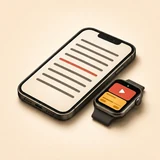
60-Second YouTube Studio Setup (Camera + 45° Glass + Apple Watch)
Import your YouTube script (.docx, .pptx, PDF, or plain text)
Import full scripts or slide decks in one tap. Add @Name tags to auto-color lines for two-host podcasts and studio interviews.
Enable Full-Screen 45° Mirror & Pure Studio OLED Black
Flip horizontally or vertically edge-to-edge. Pure #000000 OLED black keeps unused pixels completely off so zero milky haze hits your camera lens.
Deliver naturally and improvise off-script anytime
On-device word-by-word speech tracking follows your exact spoken words and stays still during pauses, room noise, or spontaneous tangents.
Scrub retakes from your chair via Apple Watch
Flubbed a line 6 feet from the lens? Roll the Digital Crown back one paragraph (or advance OBS/Keynote slides on Mac & Windows PC) without touching the rig.
VoxPresenter vs. Bundled 45° Mirror Rig Apps
| YouTube Studio Requirement | VoxPresenter (iPad + iPhone + Watch) | Bundled Rig Apps (Neewer / Desview / PAD) | Selfie Camera Apps (BIGVU / CapCut) |
|---|---|---|---|
| Natural delivery & off-script ad-libs | ✓ 100% word-by-word voice match: waits while you improvise | ✗ Rigid constant-speed timer | ✗ Timer built for phone selfie clips |
| Optical clarity on 45° beam-splitter glass | ✓ Pure #000000 OLED black + zero line-wrap shift | Grayish background / cluttered toolbars | ✗ Wastes screen on selfie camera feed |
| Hands-free retakes from your studio chair | ✓ Apple Watch wrist remote (Digital Crown + Haptics) | Cheap plastic Bluetooth remote (AAA batteries) | ✗ Must walk up and tap the glass rig |
| Screen-share tutorials (Mac / Windows / OBS) | ✓ Wireless PowerPoint, Keynote, Slides & Canva sync | ✗ No Mac or Windows PC integration | ✗ No Mac or Windows PC integration |
| Script privacy & instant startup | ✓ On-device speech engine (voice audio & scripts stay on device) | Varies by hardware vendor | ✗ Mandatory account & cloud uploads |
Does VoxPresenter work with Neewer, Desview, SmallRig, Glide Gear, and TeleprompterPAD rigs?
Yes. Any physical 45° beam-splitter teleprompter tray that holds an iPad, iPhone, or iPhone Duo works immediately using VoxPresenter's full-width horizontal and vertical mirror modes.
Can my iPad or iPhone hear my voice from 5 to 6 feet away in a studio?
Yes in a quiet studio room. For wider studio sets, you can also control paragraphs and retakes effortlessly from your wrist using the companion Apple Watch app.
What happens when I improvise off-script in the middle of a YouTube take?
VoxPresenter uses strict lexical word matching with zero false coasting: the script waits patiently on your exact line while you ad-lib, then locks back on the instant you resume reading.